

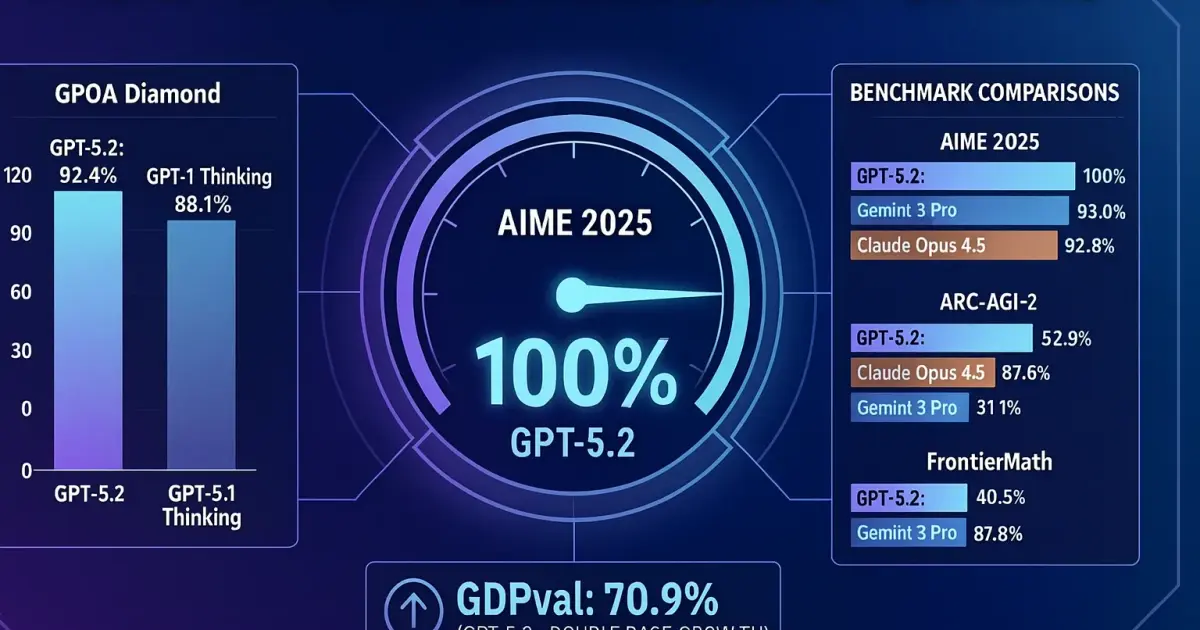
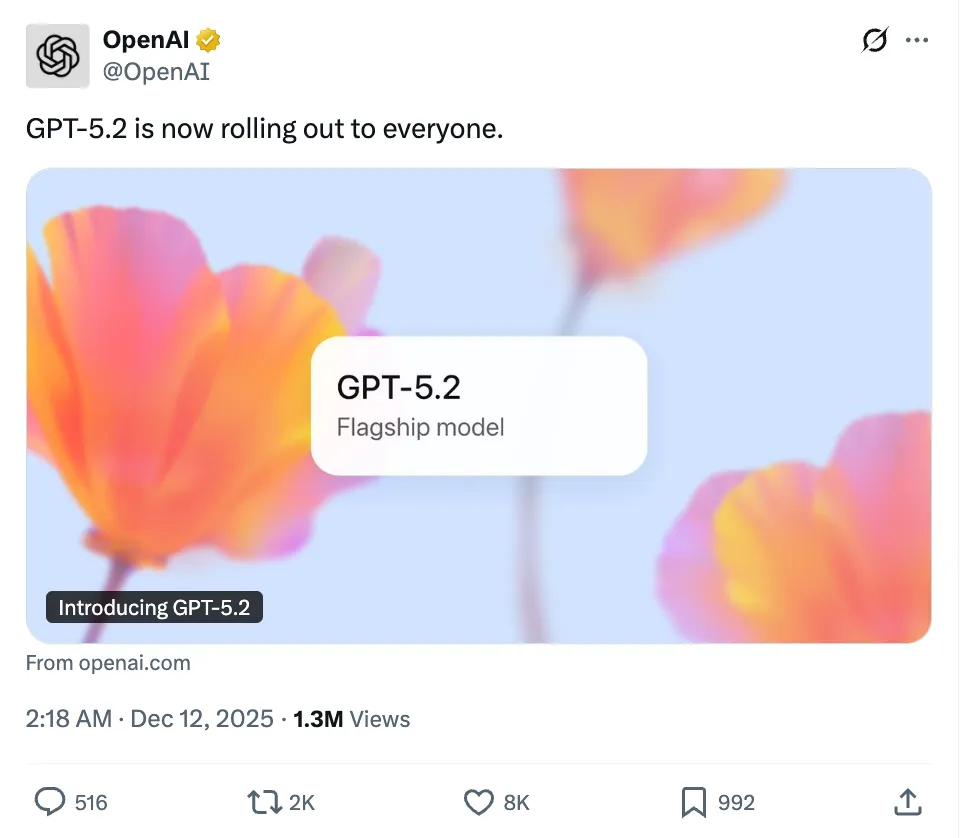
At 2:18 AM on December 12, 2025, OpenAI officially announced on X (formerly Twitter): GPT-5.2 is now live. Then, they posted comparison charts of GPT-5.2 Thinking vs 5.1, Claude Opus 4.5, and Gemini 3 Pro in the comments. This is another major update from OpenAI after GPT-5.1, with big improvements in reasoning, code generation, and real-world applications.
Let’s Check Out What New Features GPT-5.2 Brings
First, they showed off these benchmark tests:
- SWE-Bench Pro
- GPQA Diamond
- CharXiv Reasoning
- Frontier Math
- AIME 2025
- ARC-AGI-1
- ARC-AGI-2
- GDPval
If you’re not familiar with this stuff, you might wonder what these benchmarks mean for large language models. Let me break it down simply: these are all benchmark tests. In GPT-5.2 Thinking’s technical report, they’re used to prove improvements in “reasoning, coding, multi-disciplinary, and real-world agent capabilities” across different areas, not just features. Each one tests different skills to show that “GPT-5.2 Thinking is smarter.”
What Each Benchmark Tests
-
SWE-Bench Pro (tests “real software engineering skills”): Tests on real-world large codebases to see if the model can fix bugs, understand project structure, and work with actual code.
-
GPQA Diamond (tests “hard, can’t-guess scientific reasoning”): A super hard version of Q&A/reasoning tests to see how well the model combines logic and facts across different fields.
-
CharXiv Reasoning (tests “reading + reasoning with academic papers”): Long-form reasoning based on papers and technical docs to see how well the model understands, extracts, and chains reasoning from academic materials.
-
Frontier Math (tests “cutting-edge math reasoning”): A collection of really hard math problems to test deep thinking, not just basic arithmetic.
-
AIME 2025 (tests “competition-level math reasoning, like top high school level”): Problems from the American Invitational Mathematics Examination to see if the model can actually solve problems, not just follow templates.
-
ARC-AGI-1 / ARC-AGI-2 (tests “general abstract reasoning, the core of AGI”): Abstract reasoning and analogy tests that many see as “AGI-like” benchmarks. They test if the model can “figure things out” on abstract pattern tasks without templates or fixed formats.
-
GDPval (tests “if the model actually boosts productivity”): More focused on “real-world agent/task” validation to see if the model can make stable, high-quality decisions in complex, multi-step tasks with environment feedback.
Performance Comparison
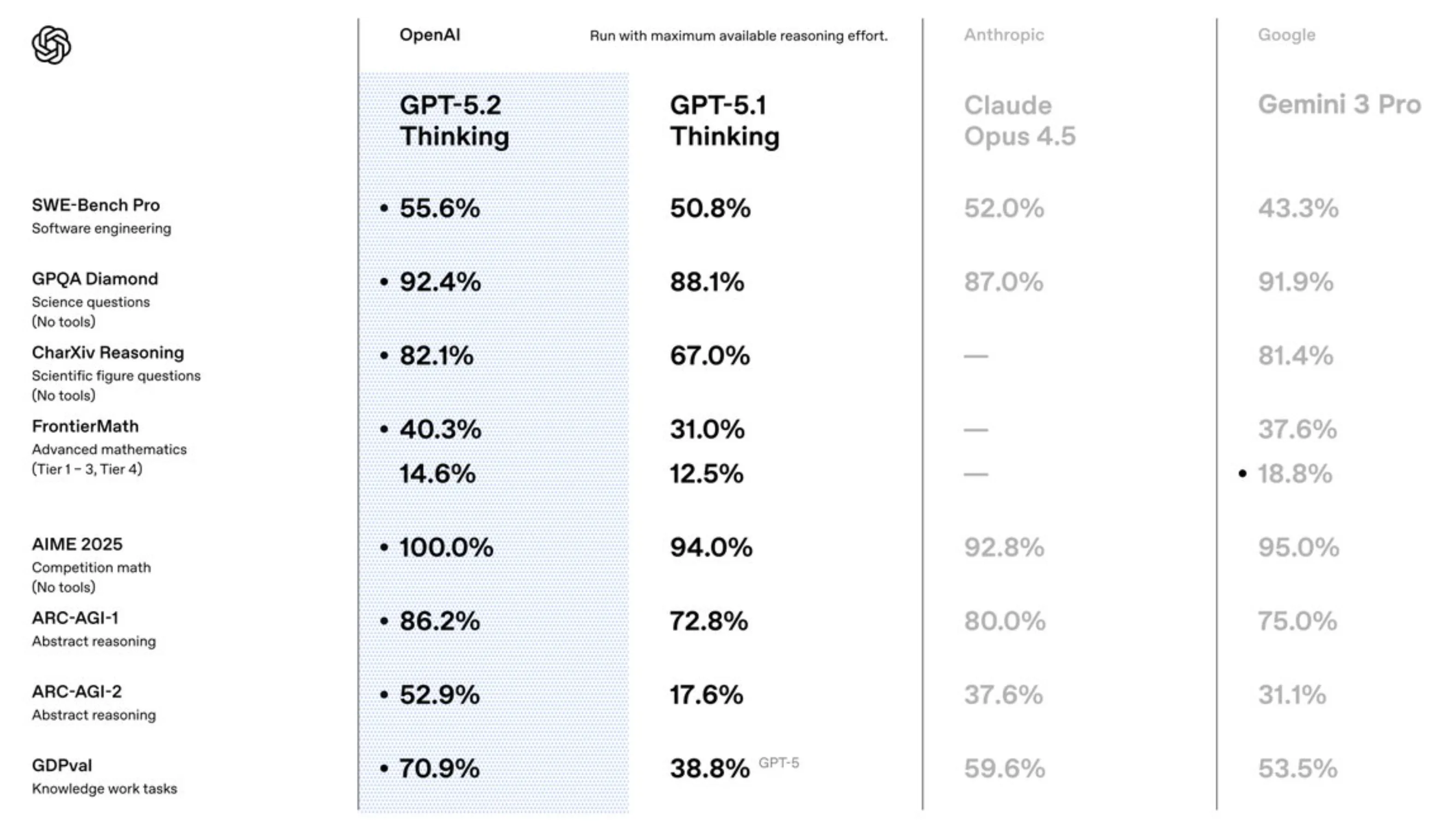
From OpenAI’s chart, AIME 2025 hit an amazing 100%, GPQA Diamond reached 92.4%, and GDPval hit 70.9 (almost double compared to GPT-5).
Compared to other models:
-
GPQA Diamond: GPT-5.2 got 92.4%, beating GPT-5.1 Thinking’s 88.1%.
-
AIME 2025: 100%, while Claude Opus 4.5 got 92.8% and Gemini 3 Pro got 95.0%.
-
ARC-AGI-2: 52.9%, while Claude Opus 4.5 only got 37.6% and Gemini 3 Pro got 31.1%.
-
Frontier Math: 40.3%, while Gemini 3 Pro only got 37.6%.
Two Versions of GPT-5.2
GPT-5.2 Instant is built for daily learning and work:
- Keeps GPT-5.1’s warm, conversational style
- Clearer explanations, key info comes first
- Better tutorials and guides
- Stronger technical writing and translation
- Better support for learning and career guidance
GPT-5.2 Pro is the smartest, most reliable version:
- Better at complex stuff like programming
- Best for helping and speeding up scientific research
⚠️ Note: GPT-5.1 in ChatGPT will stay available to paid users as an older model for three more months.
If you want more details, check out the OpenAI official blog for the full technical report and updates.
I Tried GPT-5.2 After It Launched
If You’re a Student
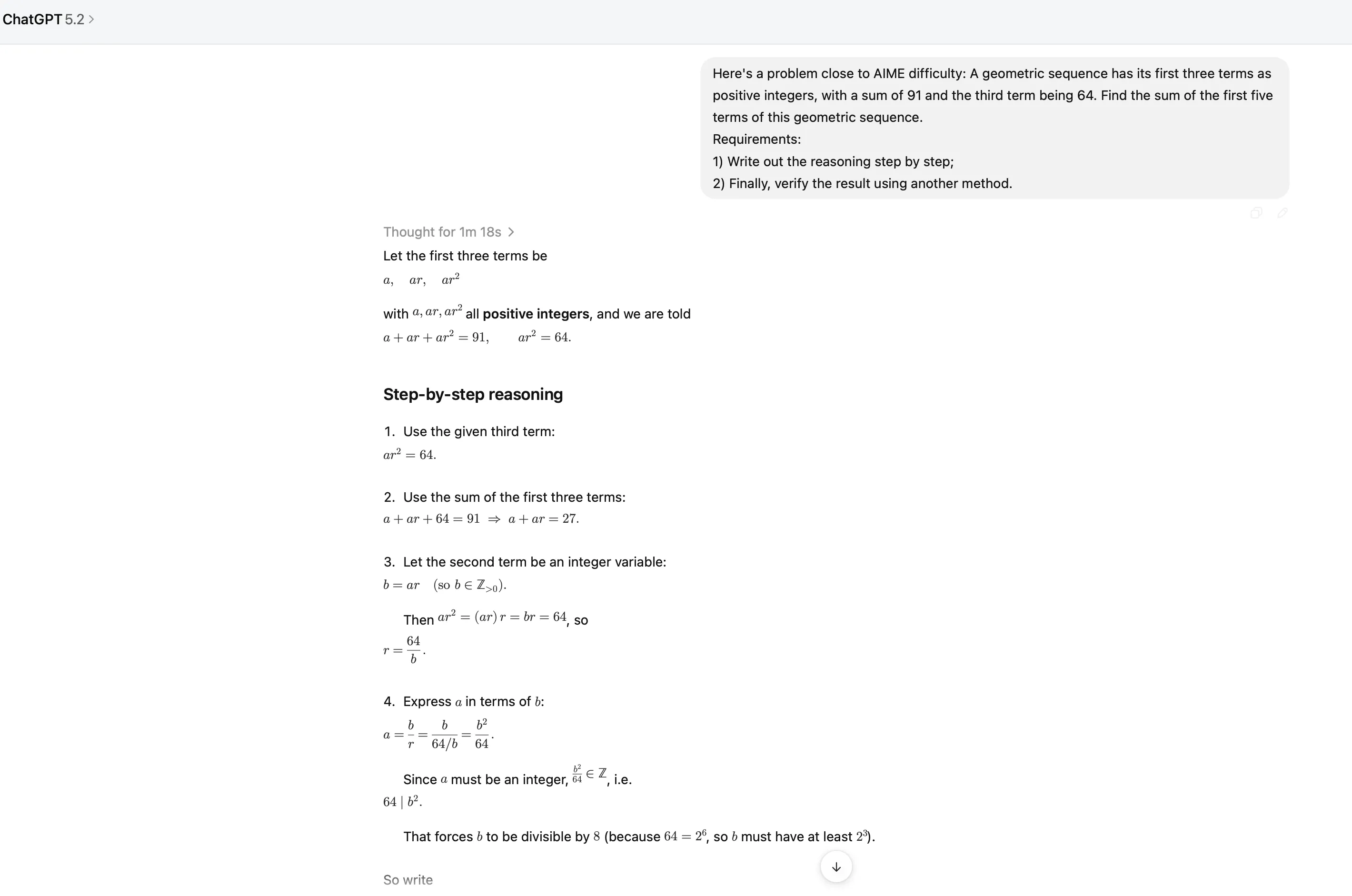
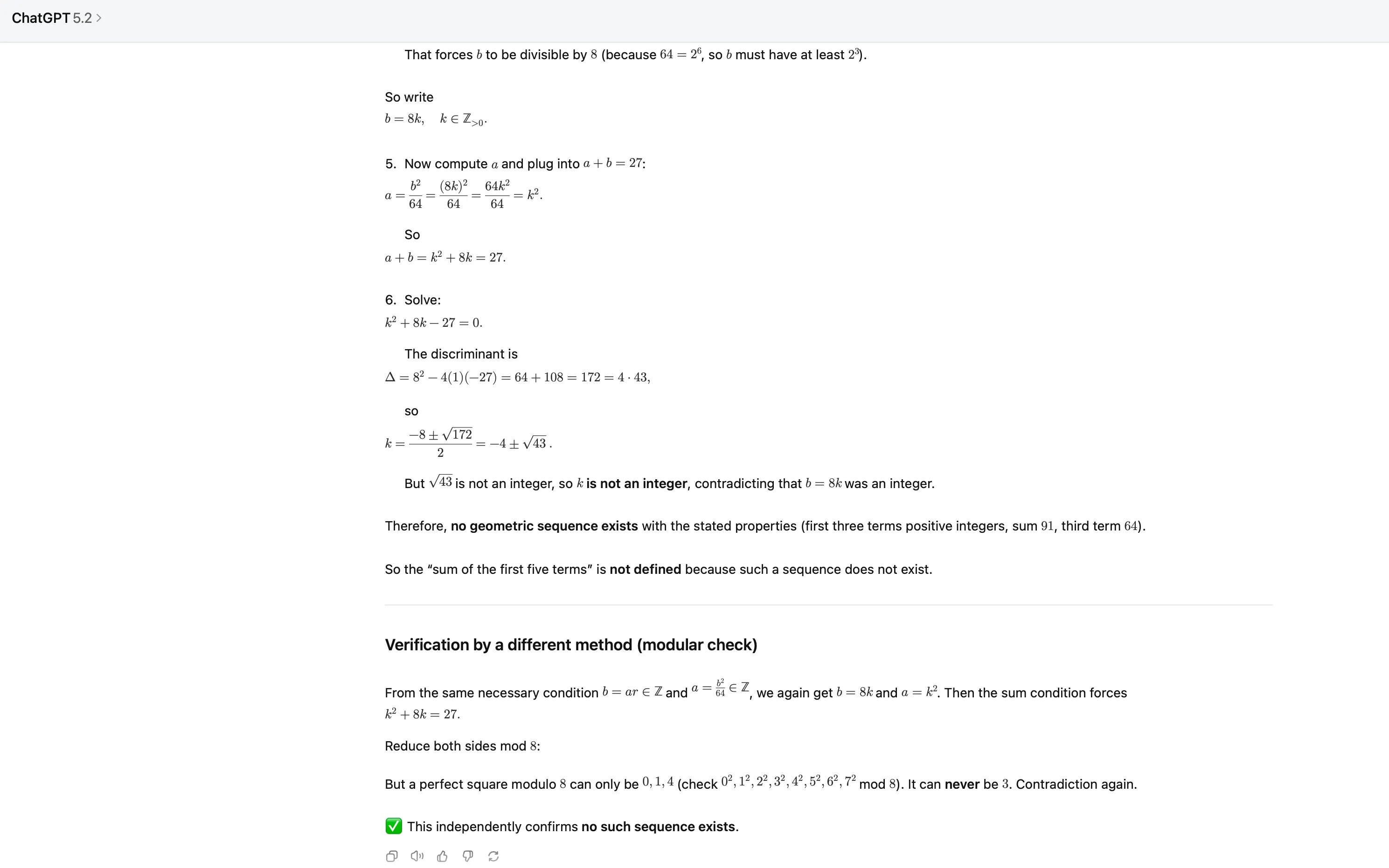
As a student, GPT-5.2 can help you with:
- Explaining course content: Breaks down complex topics in easier ways
- Making study plans: Creates personalized plans based on your goals and schedule
- Homework help: Gives you hints and guidance instead of just answers
- Summarizing knowledge: Helps organize and summarize key points into a knowledge framework
GPT-5.2 Instant is especially good for students - clearer explanations and better tutorials. If you’re interested in ChatGPT student discounts, check out our ChatGPT student discount guide or ChatGPT AI study tools intro.
If You’re a Content Creator
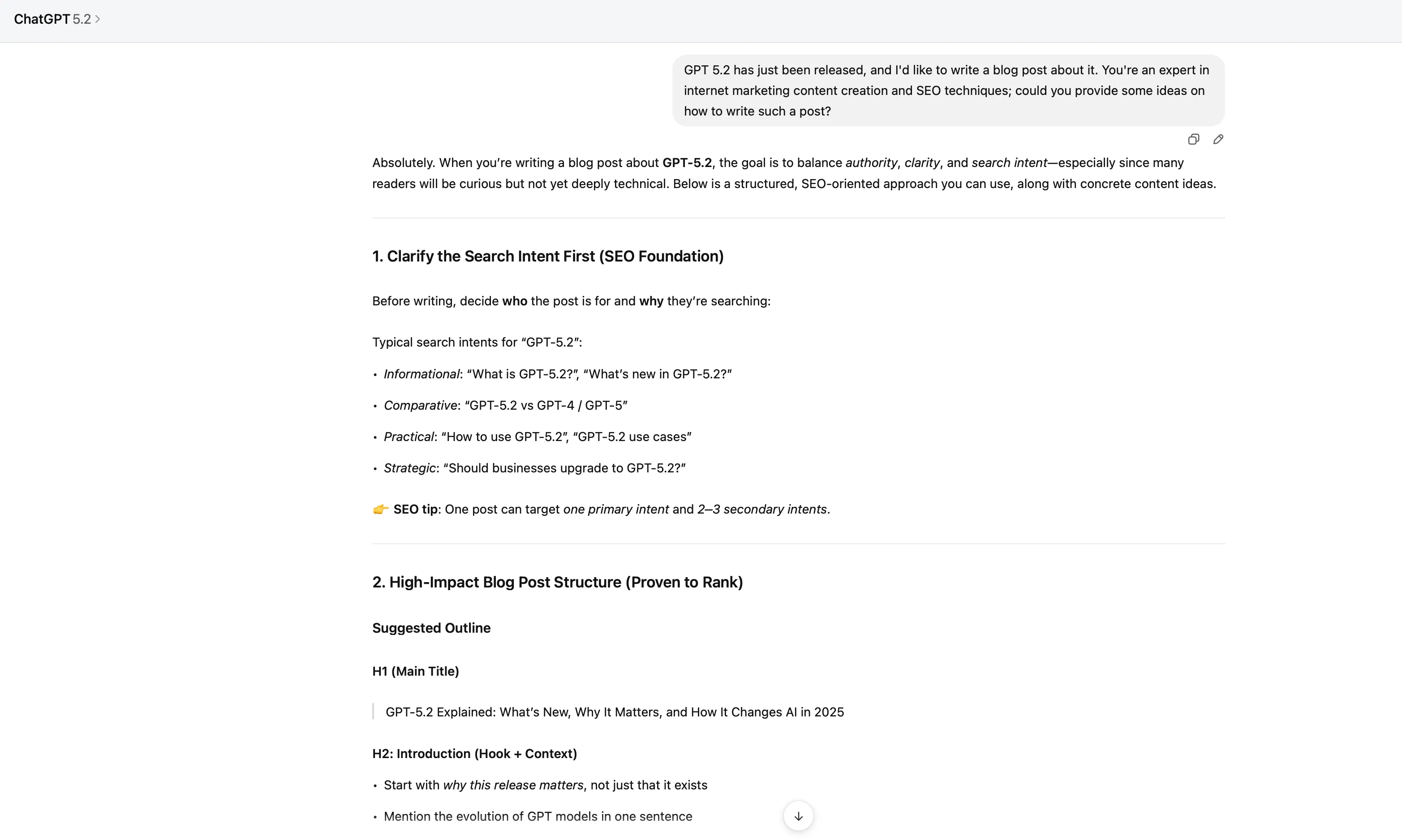
I tried asking GPT-5.2 how to write a blog post about GPT-5.2, and it gave really detailed advice from an SEO expert angle.
First, Figure Out Search Intent
GPT-5.2 suggested figuring out your target audience and search intent: informational (what is GPT-5.2), comparison (GPT-5.2 vs GPT-4), practical (how to use GPT-5.2), strategic (should businesses upgrade). One post can focus on one main intent while covering 2-3 secondary ones.
High-Impact Article Structure
The suggested structure includes: intro (why this launch matters), what is GPT-5.2 (explain in plain language), GPT-5.2 new features (break into sections), comparison with previous models (comparison tables are SEO-friendly), real use cases, what it means for businesses and creators, limitations and things to watch out for, summary and outlook.
Keyword Strategy
Main keywords: GPT-5.2, GPT-5.2 features, GPT-5.2 release. Secondary/long-tail keywords: GPT-5.2 vs GPT-4, what is GPT-5.2, GPT-5.2 use cases, etc. Use main keywords in the title, first 100 words, one H2 heading, and meta description. Naturally work in secondary keywords, don’t stuff them.
Content Tips to Boost Rankings
- Comparison tables: Google loves structured comparisons, even simple tables help
- TL;DR summary: Add a boxed summary after the intro, easy to get featured snippets
- Internal links: Link to previous posts about GPT-4/GPT-5
- External authority links: Link to official docs or well-known AI publications to build trust
Tone and Style Tips
Authoritative but easy to understand, keep paragraphs short (2-3 lines), use lists moderately, write like you’re explaining to smart professionals, not beginners. Avoid hype, unproven claims, too much jargon without explanation.
Conversion Opportunities
Add CTAs like “download our GPT-5.2 use case guide,” email signup, links to demos or tools, or teasers for future posts.
Publishing Strategy
GPT-5.2 especially emphasized: publish fast, then update often. Early posts rank well, but consistent updates win long-term. Add new sections as adoption grows, update comparison tables, refresh meta descriptions monthly.
Overall, GPT-5.2’s advice was really professional and practical, covering SEO, content structure, and conversion strategy. If you’re interested in student discounts for AI tools, check out our Google AI Pro student free article.
If You’re a Learner
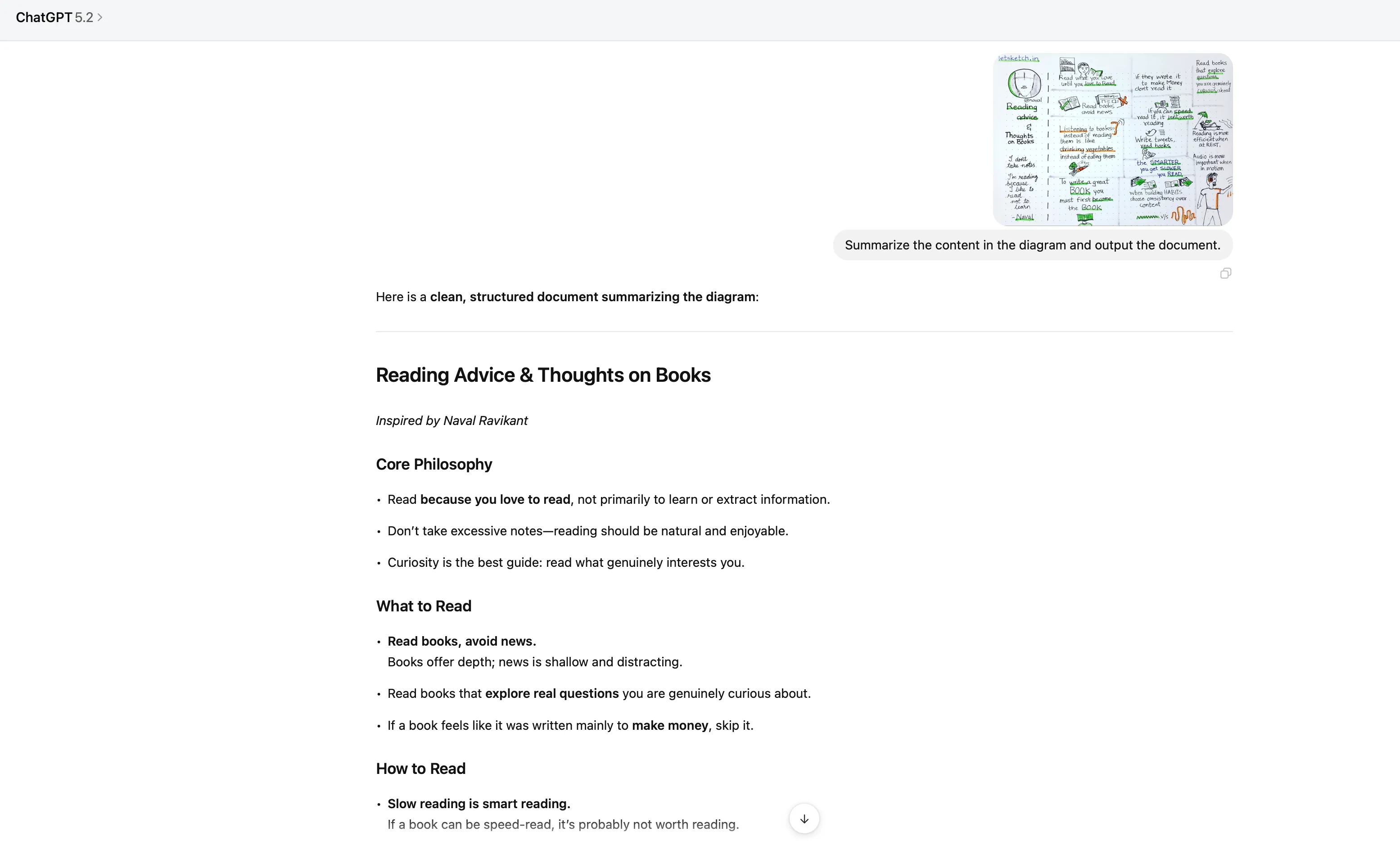
Image Content Summary
I gave it a picture with reading advice, and GPT-5.2 accurately identified and summarized the key points: read for love, slow reading is smart reading, books beat news, reading works best during breaks, etc. The output format was super clear, ready to use as a document.
Learning Korean as a Beginner
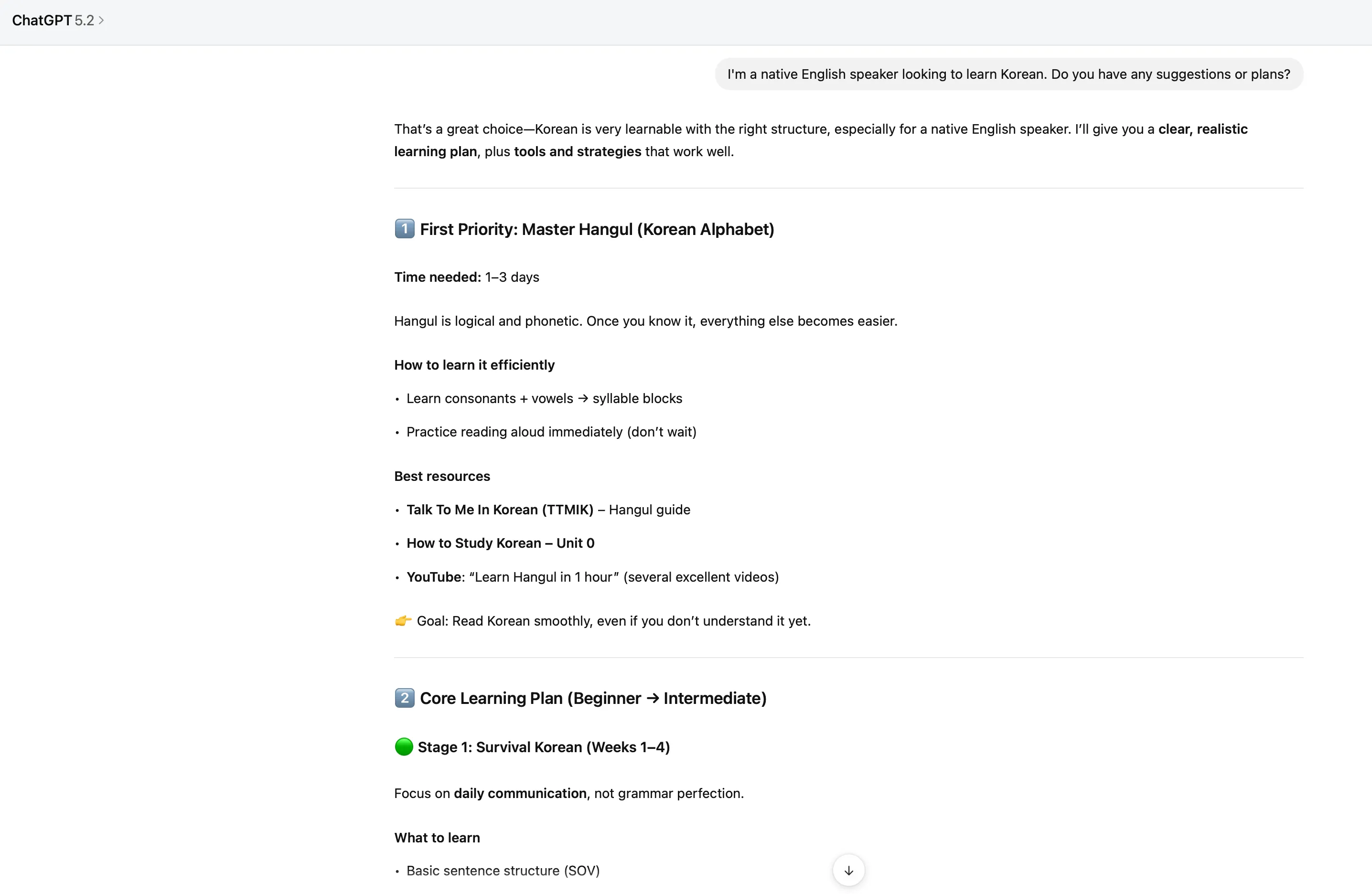
I asked GPT-5.2 again, this time as an English speaker wanting to learn Korean, and it gave a much more detailed, structured learning plan.
First, Master Hangul (1-3 days)
GPT-5.2 emphasized that Hangul is logical and phonetic - once you get it, learning gets easier. It suggested learning consonants + vowels first, then forming syllable blocks, and immediately practicing reading out loud. Recommended resources include Talk To Me In Korean, How to Study Korean, and the “Learn Hangul in 1 hour” video on YouTube.
Core Learning Plan (Three Phases)
-
Phase 1 (1-4 weeks): Survival Korean, focus on daily communication, not perfect grammar. Learn basic sentence structure (SOV), particles, polite forms (요-form), and 500-700 core words. Daily 30-60 minutes: 10 min vocabulary, 15 min grammar, 10 min listening, 10 min speaking.
-
Phase 2 (2-4 months): Build real sentences. Focus on verb conjugation, honorific basics, connecting sentences, and listening comprehension. Key habit is “sentence mining” - learning in complete sentences, not isolated words.
-
Phase 3 (5-9 months): Natural Korean. Shift from “learning Korean” to “living in Korean.” Watch short dramas (with Korean subtitles), shadowing practice, write daily short journals.
Learn to Speak Faster
GPT-5.2 especially emphasized that many learners can read but can’t speak - avoid this trap. Recommended methods include shadowing (mimic pronunciation and rhythm), talking to yourself (describe what you’re doing), and language exchange 1-2 times per week. Platform recommendations: HelloTalk, Tandem, and iTalki.
Korean Challenges and Solutions
- Word order (SOV): Learn patterns, don’t translate
- Honorifics: Just learn 요-form first
- Listening speed: Slow content + shadowing
- Too many words: Learn through sentences
30-Day Starter Plan
GPT-5.2 also gave a specific 30-day plan: Week 1 learn Hangul and basic greetings, Week 2 learn particles and present tense, Week 3 learn past/future tense, Week 4 start daily listening and first language exchange. After 30 days, you should be able to read Korean, introduce yourself, order food, and have basic conversations.
Overall, GPT-5.2’s learning plan was super detailed and practical, especially emphasizing “sentence mining” and “shadowing” - methods that are easy to overlook but really important.
If You’re a Software Developer
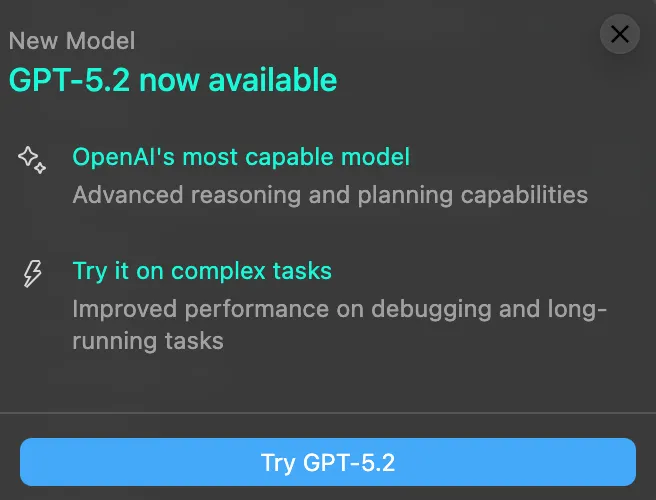
There are quite a few companies making AI coding assistants, but they’re positioned differently. Here’s the simple breakdown:
Codex: Cloud Remote Teammate
Codex first launched in 2021 as “GPT-3 for code” and has evolved into a cloud-based software engineering agent system. It’s more like a remote teammate that can work independently, handling multiple tasks in parallel: write features, review code, fix bugs, write tests, submit PRs, etc. You hook it up to ChatGPT or your IDE, give it natural language commands, and it pulls your repo, changes files, runs tests in an isolated cloud environment, then gives you diffs and logs to review. It’s more for mid-to-large team engineering pipeline automation, emphasizing security isolation and auditing.
Cursor: AI-Native Editor
Cursor is an AI-native IDE forked from VS Code, deeply integrating large models into the editor for full-file/full-project level completion, refactoring, and conversational development. It’s all about super fast completion latency (milliseconds), understanding entire repos, learning your style. It’s been pushing hardest in the “AI IDE” space, hitting over a million daily active users around 2025, taking close to half the AI code editor market share. Lots of YC startups and AI companies use it.
Claude: General Brain That Also Writes Code
Claude is more like a general brain that can write docs and code. Anthropic’s Claude Code embeds Claude into terminals/dev environments, supporting multi-language code generation, debugging, DevOps pipeline analysis. It’s popular in enterprise markets, emphasizing “security, alignment, compliance,” good as a unified AI platform inside big companies, then adding code workflows on top.
How Good Is GPT-5.2’s Coding Ability?
From actual developer feedback, GPT-5.2’s coding ability has a few characteristics:
Speed vs Quality
GPT-5.2 might seem “slow,” but that’s because it’s thinking deeply and won’t miss details. For developers who want fast coding, it might not feel fast enough, but that’s by design - it focuses on quality over speed.
Best Use Cases
One developer shared a really practical workflow: use Opus 4.5 for fast coding, then use GPT-5.2 as architect and code reviewer/bug finder. GPT-5.2 is better at scanning large projects, won’t hallucinate or make things up, and is noticeably smarter. While code review takes more time, it really does find bugs and inconsistencies in Opus code.
Simply put, if you need code fast, use Opus 4.5; if you need deep thinking, architecture design, or code review, GPT-5.2 is better. Using both together works best. For developers, understanding different AI tools’ characteristics is important. You can check out our ChatGPT brand page to learn more about OpenAI tools.
You can check out this blogger’s test video where they tested GPT 5.2 in Cursor and compared it with Opus 4.5:
Results are up to you to judge. This is just a simple personal test for reference. Actual output depends heavily on your input prompts.
Summary
GPT-5.2’s launch really brought a lot of improvements. Looking at the benchmark data, there’s clear progress across reasoning, coding, math, and other areas. AIME 2025 hitting 100% and GPQA Diamond hitting 92.4% reflect real improvements in the model’s ability to handle complex tasks.
From actual usage, GPT-5.2 performs well in different scenarios: students can use it for learning help and planning; content creators can use it to optimize SEO strategy and content structure; learners can use it to summarize materials and make study plans; developers can use it for code review and architecture design. But keep in mind, GPT-5.2 focuses more on quality than speed - if you need fast results, you might want to pair it with other tools.
Overall, GPT-5.2 is worth trying, especially for scenarios that need deep thinking and complex reasoning. But whether it’s right for you depends on your actual needs and workflow. I’d suggest trying it out first, see how it performs in your common scenarios, then decide if it’s worth upgrading.